

How To Automate Your LinkedIn Searches for Sales in HubSpot
Automate LinkedIn searches for sales in HubSpot with this easy Ops Hub hack. Save time by integrating LinkedIn search directly into your HubSpot workflow.

Why is this hack helpful?
Note: Available exclusively for Ops Hub Professional or higher.
Are you a salesperson tired of manually copying and pasting names and company details into LinkedIn to search for new prospects? With this hack, you can use Ops Hub to automatically build a LinkedIn search for you! This hack speeds up finding LinkedIn profiles directly from your HubSpot portal, saving you time and effort.
Let's dive in!
Stuck because you are not on Ops Hub Professional?
Half the hacks worth doing sit behind a tier you may not have.
Step-by-Step Tutorial
1. Build the Search URL
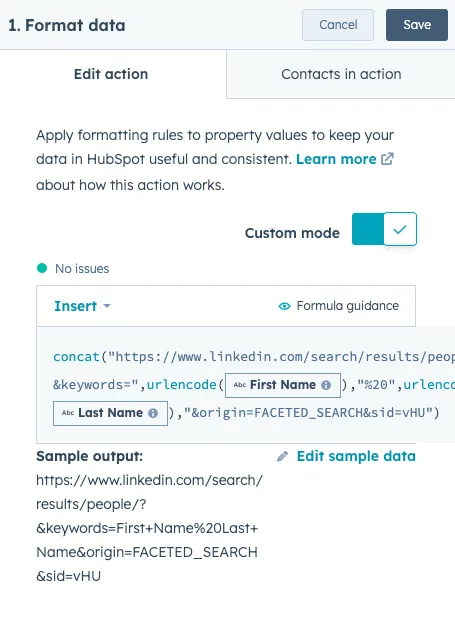
First, we’ll build the URL for our search. The code below takes the First Name and Last Name of a contact and automatically inserts it into the LinkedIn search URL.
concat("https://www.linkedin.com/search/results/people/?keywords=",urlencode([enrolled_object.firstname]),"%20",urlencode([enrolled_object.lastname]),"&origin=FACETED_SEARCH&sid=vHU")
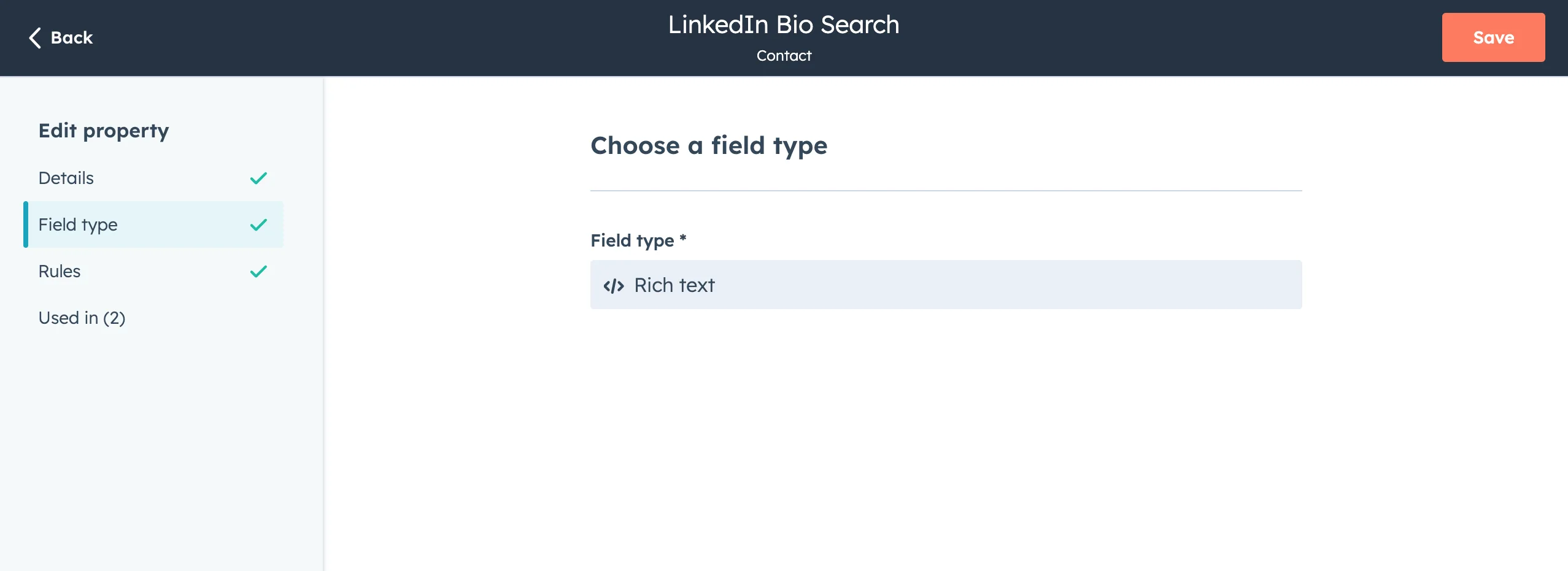
2. Create a Rich Text Property
Before continuing, make sure you create a rich text property called “LinkedIn Profile Search” or something similar.
3. Build Your Workflow
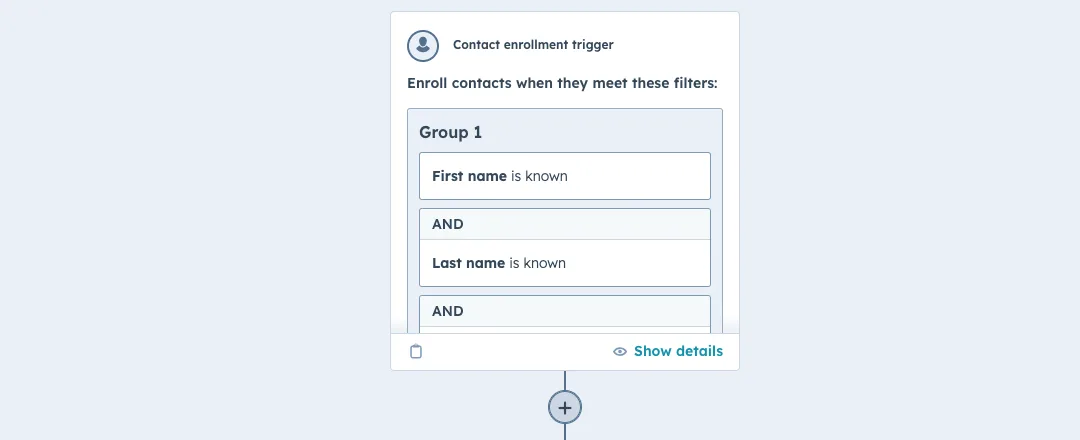
Now, let’s bring it all together. Start by triggering the workflow from the Contact Object. You could set the criteria to something like: Create date is 1 day ago AND LinkedIn Profile is Unknown.
Next, add a format data step, copy and paste the code from step one. Make sure to test the search using a sample output!
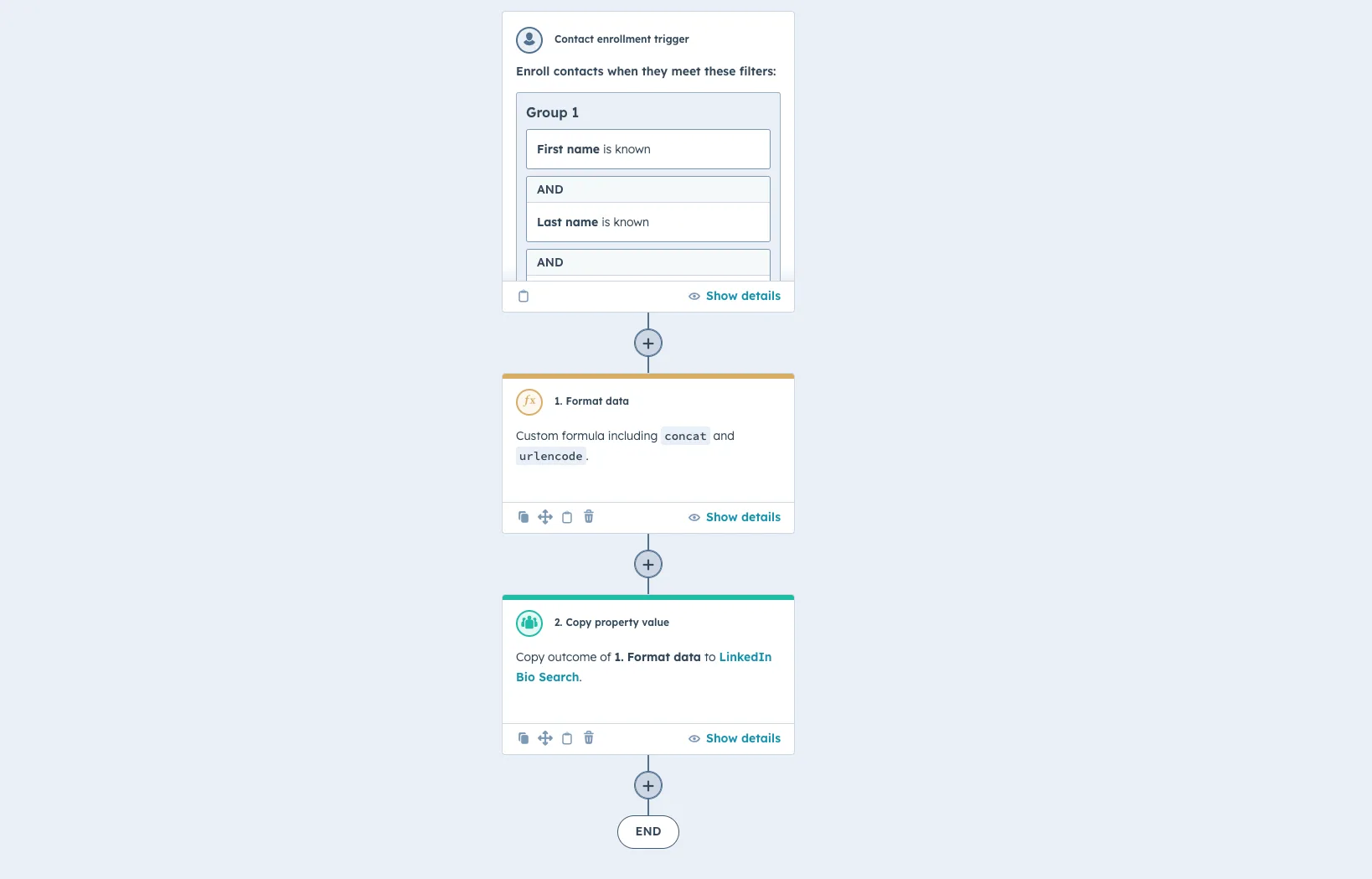
Be sure to select the option to copy the output from the data step and transfer it to your new LinkedIn Bio Search property.
The entire workflow should look like this:
4. Add a Task to Stay on Track
For a bit of extra flair, add a task to remind your Sales team to click on the LinkedIn search property as part of their sales process. You can even add it to your viewable properties on the Contact record!
5. Get Selling!
And that's it! Turn on your workflow and watch your efficiency skyrocket!
Want the same trick for something other than LinkedIn?
Once you can build a URL from a property, the pattern repeats.