

How To Tag Hot Leads on your Deal Board
Learn how to effectively tag hot leads on your deal board with this helpful hack. Create a property to track prospect activities and trigger the "Hot.

Deal Tags are a great way to quickly identify actions made by leads or sales teams. A great tag to use on the Deal Board is Hot Lead. When trying to set this up, however, you'll notice that the "Most Recent Activity" Deal property tracks both internal and external activities.
This hack will show you how to create a property that only tracks prospect activites, so that it can be used as an effective trigger for a Hot Lead deal tag.
1. Create a date deal property called "Recent Lead Activity"
When creating this property, make sure it is a Date Picker property.

2. Create a contact based workflow from scratch
We want to use a contact workflow as we will be triggering it based off contact activity.
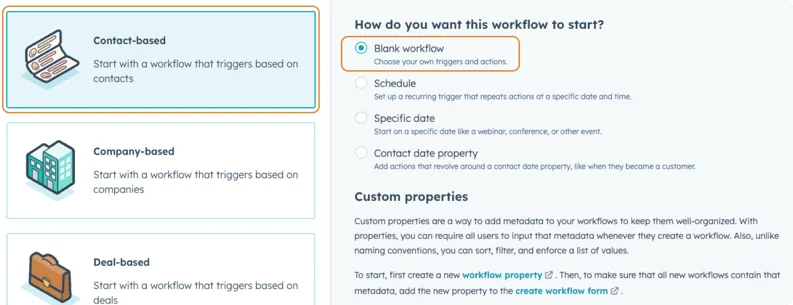
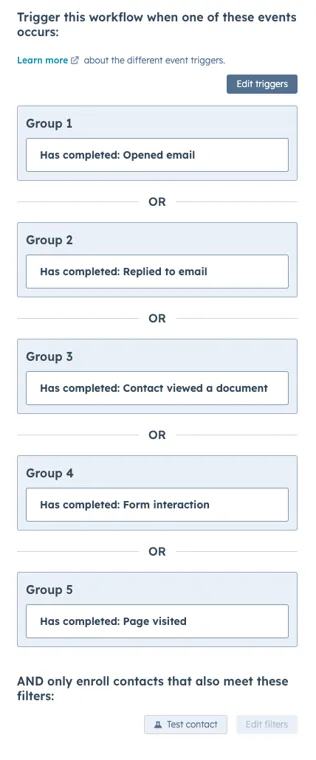
3. Set your triggers to any of the following example events
We are choosing any events that that show that our prospect is online. For example, they may have opened an email, replied to email or viewed a document. Re-enrollment should be on.
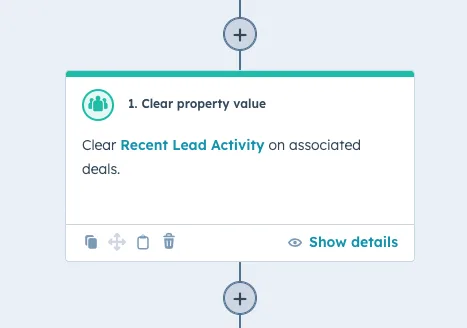
4. Add an action to clear the "Recent Lead Activity" property
We want to clear this property so we can set a new date if the contact comes back.
Is your last activity date counting your own team's notes?
Half the activity on those deals was logged by your own reps.
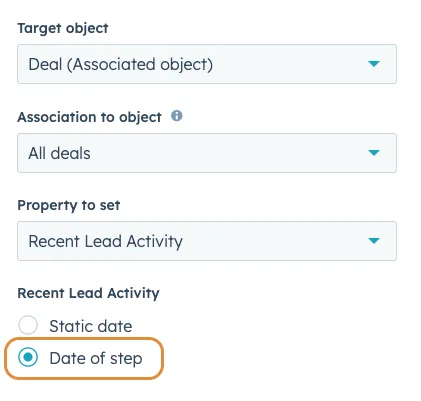
5. Add an action to set the "Recent Lead Activity" property to today
We will use the option of "date of step" for this action. At this point you could also add an action for an internal notification to the Deal Owner to let them know their prospect is online!
6. Publish the workflow
Do not enroll existing contacts.
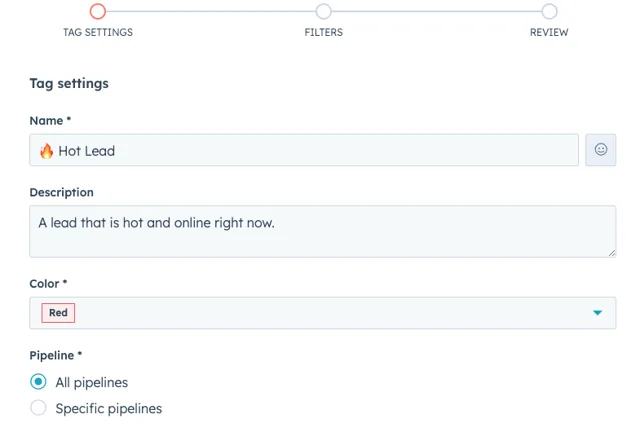
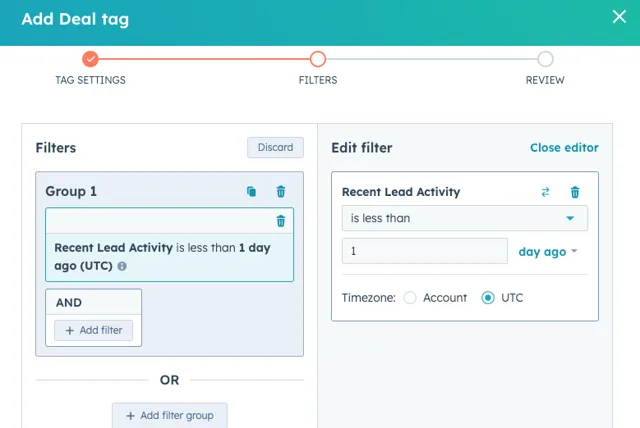
7. Go to your deal settings and set up a tag to be triggered by your new property
Go to Settings → Objects → Deals → Pipelines → Customise deal tags.
We recommend setting the trigger to "the last 24 hours" to ensure the tag is timely.
8. That's it! Enjoy your Deal Tags.
Wondering which other tags would be worth setting up?
Most deal boards end up with one useful tag and four decorative ones.