

Salesforce to HubSpot migration partners in Australia
RedPandas, Engaging.io, Neighbourhood and Avidly APAC all have Australian offices and publicly offer Salesforce to HubSpot migrations. Published prices start around A$10,000 to A$12,000 plus licence.

If you are an Australian business on Salesforce and want a partner to move you to HubSpot, four HubSpot partners with Australian offices say on their own sites, or on HubSpot's Solutions Directory, that they do Salesforce migrations: RedPandas, Engaging.io, Neighbourhood and Avidly APAC. They are listed here in no particular order. Each one is a HubSpot Diamond or Elite partner with an office in Sydney or Brisbane.
On published prices, a partner-led Salesforce to HubSpot migration in Australia starts at around A$10,000 to A$12,000 plus your HubSpot licence, and runs from about four weeks for a straightforward move from a single CRM to two to six months when there are custom objects, heavy automation or messy data. Those are each firm's own published figures, set out in the cost table below.
The partner matters less than the questions you ask them. Make every firm explain how they map your Salesforce objects, what they do with your Apex code and Flows, how the cutover fits your Salesforce renewal date, how your team gets trained, and where your data will be hosted.
What should you work out before you call anyone?
Partners quote off what you tell them, so walk in with four answers.
- Migrate, connect or stay. A move to HubSpot suits a team that uses a small part of Salesforce and needs an admin for every change. If Salesforce is built deeply into how you operate, connecting it to HubSpot may suit you better. Our HubSpot vs Salesforce guide covers that decision, and our Salesforce to HubSpot page sets out the three options side by side.
- Your renewal date. Find the date your Salesforce term ends and the notice period in your order form. It usually sets the deadline for the whole project.
- What is inside your org. A rough count of custom objects, Apex triggers, Flows, AppExchange packages and integrations. This decides the size of the job more than your record count does.
- Who will run HubSpot afterwards. Name the person. A partner can train them during the build, and that changes the scope.
The step by step plan for the move itself is in moving from Salesforce to HubSpot at 100+ seats. This post is about choosing who does it.
How do you judge a Salesforce migration partner?
Partner tier is a starting point. HubSpot's tiers (Gold, Platinum, Diamond, Elite) are earned on points from the customers a partner brings to HubSpot, helps win and looks after, and the top two tiers also have to meet a customer retention bar. So a tier tells you a firm is established on HubSpot. It does not measure Salesforce migration skill. Use this rubric for that, and our guide to HubSpot partner tiers in Australia for the tiers themselves.
| What to judge | What a good answer looks like | How to check it |
|---|---|---|
| Salesforce migration offered in writing | A service page, directory listing or case study that names Salesforce | Their website and their HubSpot Solutions Directory listing |
| Object and field mapping | A written field map you approve before any record moves | Ask to see a redacted example |
| Custom objects | A plan for them, and an early check on whether you need HubSpot Enterprise | Ask which tool moves them, since HubSpot's Smart Transfer does not |
| Automation | Apex and Flows listed, and each one rebuilt, replaced or retired | Ask for the list format they use |
| Testing and cutover | A test migration on a sample, then a final catch-up pass before switch-over | Ask for the cutover plan from a past project |
| Training | Your team trained during the build, on your own data | Ask who trains and when |
| Australian presence | An Australian office and a team working your hours | The address on their site and directory listing |
| Data hosting | A clear answer on which HubSpot data centre your account sits in | HubSpot's hosting FAQ, and your account settings |
Which HubSpot partners in Australia do Salesforce migrations?
These four meet two tests: an Australian office, and a public statement that they migrate businesses from Salesforce to HubSpot. Every fact below comes from the firm's own website or its HubSpot Solutions Directory listing, checked on 11 November 2026, with the source linked. The order is not a ranking. Other partners also do this work, so treat this as a starting list.
RedPandas
Based: North Parramatta, NSW, per its website. Its directory listing shows Mortlake and Sydney, NSW.
HubSpot tier: Diamond Solutions Partner.
What it says about Salesforce: "We migrate Australian businesses from Salesforce to HubSpot, including the custom objects, history and automations." It publishes a price from about A$10,000, depending on record volume and custom objects, and says migrations with custom objects, complex automation or messy data usually take two to six months with a partner. Its stated process is a scoping call, temporary read access to Salesforce, a migration plan and quote, then migration, testing and training.
Source: RedPandas Salesforce to HubSpot migration guide and directory listing.
Engaging.io
Based: North Sydney, NSW, with an office in the United States.
HubSpot tier: Elite Solutions Partner.
What it says about Salesforce: "We migrate Salesforce, Dynamics, Zoho and other CRMs to HubSpot." Its CRM migration page describes a pre-migration audit, mapping the Salesforce data model to HubSpot's structure, and parallel validation before go-live. It says a straightforward migration from a single CRM typically runs four to twelve weeks, and that it scopes every project individually. Its site lists a HubSpot 2025 Impact Award for Platform Migration. No price is published.
Source: Engaging.io CRM migration page, home page and directory listing.
Neighbourhood
Based: Brisbane, QLD.
HubSpot tier: Diamond Solutions Partner.
What it says about Salesforce: Salesforce moves start from around $12,000 plus the HubSpot licence, with the final price set after seeing a sample export. Most are planned as a full implementation of 8 to 12 weeks including the migration. Its stated process is a test migration on a sample, then the full migration, then a final catch-up pass for records that changed in the meantime.
Source: Neighbourhood Salesforce to HubSpot page and directory listing.
Avidly APAC
Based: Sydney, NSW, and Auckland, New Zealand, serving APAC.
HubSpot tier: Elite Solutions Partner.
What it says about Salesforce: its directory listing says it has "a proven track record migrating businesses from CRM & Marketing Platforms such as Salesforce, Dynamics, Pipedrive, and Marketo onto HubSpot." The listing does not publish a Salesforce price or timeline.
Source: Avidly APAC directory listing.
Planning a move from Salesforce to HubSpot?
We move Australian businesses from Salesforce to HubSpot. Talk to Matt about your setup and how we approach a migration.
What does a Salesforce to HubSpot migration cost in Australia?
Two of the four firms publish a starting price. Here is what each one publishes, side by side.
| Partner | Published starting price | Published timeline |
|---|---|---|
| RedPandas | From about A$10,000 (GST basis not stated) | Two to six months for complex migrations |
| Engaging.io | Not published | Four to twelve weeks for a single CRM |
| Neighbourhood | From around $12,000 ex GST, plus licence | 8 to 12 weeks as a full implementation |
| Avidly APAC | Not published | Not published |
On HubSpot's Solutions Directory, all four listings show a minimum project budget of $5,000+, with no currency stated. Three things move the number above any starting point:
- Custom objects. HubSpot's Smart Transfer tool does not move them, and custom objects in HubSpot need an Enterprise subscription. Each one adds mapping, a separate import and testing.
- Automation. Smart Transfer's Salesforce list covers records, activities, users and email templates. Apex triggers and Flows are not on it, so each one is rebuilt as a HubSpot workflow or retired.
- History and clean-up. How many years of activity you bring, and how many duplicates have to be merged first.
The HubSpot licence is a separate line. Our CRM software in Australia guide compares seat prices in AUD. For what goes into our own figure, see the cost section of our Salesforce to HubSpot migration work.
How do you choose between them?
All four have Australian offices and say they do this work, so fit comes down to your situation.
- Heavily customised Salesforce. Lead with the custom objects and Apex questions below, and ask each firm for a case study that names Salesforce.
- A hard renewal deadline. Ask each firm to put a cutover date in the proposal and work back from your notice period.
- Teams in Australia and New Zealand. Check the office locations against where your people sit.
- Undecided about moving at all. Ask each partner whether connecting the two systems, or staying on Salesforce, would suit you better, and why.
Put the same questions to each firm in writing and compare what comes back. Our earlier guide to choosing a HubSpot onboarding partner has a longer list for the onboarding side.
What should you ask before you sign?
"How will you map our Salesforce objects to HubSpot?" HubSpot's own Smart Transfer mapping is a sensible default: Accounts to Companies, Contacts and Leads to Contacts, Opportunities to Deals, Cases to Tickets. Ask how they will tell former Leads from Contacts afterwards, and what happens to each custom object.
Mapping from HubSpot's Smart Transfer article for Salesforce, checked 11 November 2026. The dashed line is the one Smart Transfer does not carry.
"What happens to our Apex code and Flows?" Ask for a list of every trigger, Flow and workflow rule with a decision against each one: rebuild in HubSpot, replace or retire. Calculated fields need rebuilding as HubSpot calculation properties too.
"How does the cutover fit our renewal date?" Ask for the date of the test migration, the full run and the final catch-up pass, and how long Salesforce stays available read only afterwards.
- Test migrationA sample of records moves first and is checked side by side with Salesforce.
- Full migrationEverything goes across while your team keeps working in Salesforce.
- Final catch-up passRecords that changed in the meantime move just before switch-over.
- Switch-overYour team, already trained, starts working in HubSpot.
- Salesforce read onlyKept open for a period your partner agrees with you, so people can check nothing is missing.
The cutover sequence described in this post. The dates come from your partner's plan and your Salesforce renewal.
"How will our team be trained?" Ask who trains, whether it happens during the build, and whether it uses your own records.
"Where will our data be hosted?" HubSpot hosts accounts in the United States, Canada, the European Union and Australia, with the Australian data centre in Sydney. New accounts are assigned a data centre from the IP address at sign-up, and paid accounts can move. Ask which one your account will sit in.
This session from our YouTube channel covers HubSpot data migration and bringing your data home to Australia.
Frequently asked questions
Who does Salesforce to HubSpot migrations in Australia? HubSpot partners with Australian offices that publicly offer Salesforce migrations include RedPandas and Engaging.io in Sydney, Avidly APAC in Sydney and Auckland, and Neighbourhood in Brisbane. Check each firm's own site and HubSpot Solutions Directory listing before you shortlist.
How much does a Salesforce to HubSpot migration cost in Australia? Published partner prices start at about A$10,000 (RedPandas, GST basis not stated) and around $12,000 ex GST (Neighbourhood), plus the HubSpot licence. Custom objects, Apex and Flows, and the amount of history you bring push the price up.
How long does a Salesforce to HubSpot migration take? Published timelines run from four to twelve weeks for a single CRM (Engaging.io) and 8 to 12 weeks as a full implementation (Neighbourhood), to two to six months for complex migrations (RedPandas). Your Salesforce renewal date usually sets the deadline.
Does HubSpot's Smart Transfer move Salesforce custom objects? No. HubSpot says Smart Transfer does not support custom objects, so they need a separate import, and custom objects in HubSpot need an Enterprise subscription.
Can HubSpot data be hosted in Australia? Yes. HubSpot runs a data centre in Sydney. New accounts are assigned a data centre based on the IP address at sign-up, and paid accounts can move to another one.
Sources
- Salesforce to HubSpot Migration: 11-Step Checklist, RedPandas, for its Salesforce offer, price, timeline and process.
- RedPandas home page, RedPandas, for its office and tier.
- RedPandas listing, HubSpot Solutions Directory, for tier, locations and budget.
- CRM migration to HubSpot, Engaging.io, for its process and timeline.
- Engaging.io home page, Engaging.io, for its Salesforce statement, offices and award.
- Engaging.io listing, HubSpot Solutions Directory, for tier, locations and budget.
- Avidly APAC listing, HubSpot Solutions Directory, for tier, locations, Salesforce statement and budget.
- Neighbourhood listing, HubSpot Solutions Directory, for tier and budget.
- How do Tiers and Tier Points work?, HubSpot, for how partner tiers are earned.
- Supported apps for HubSpot Smart Transfer, HubSpot Knowledge Base, for Salesforce mappings and custom objects.
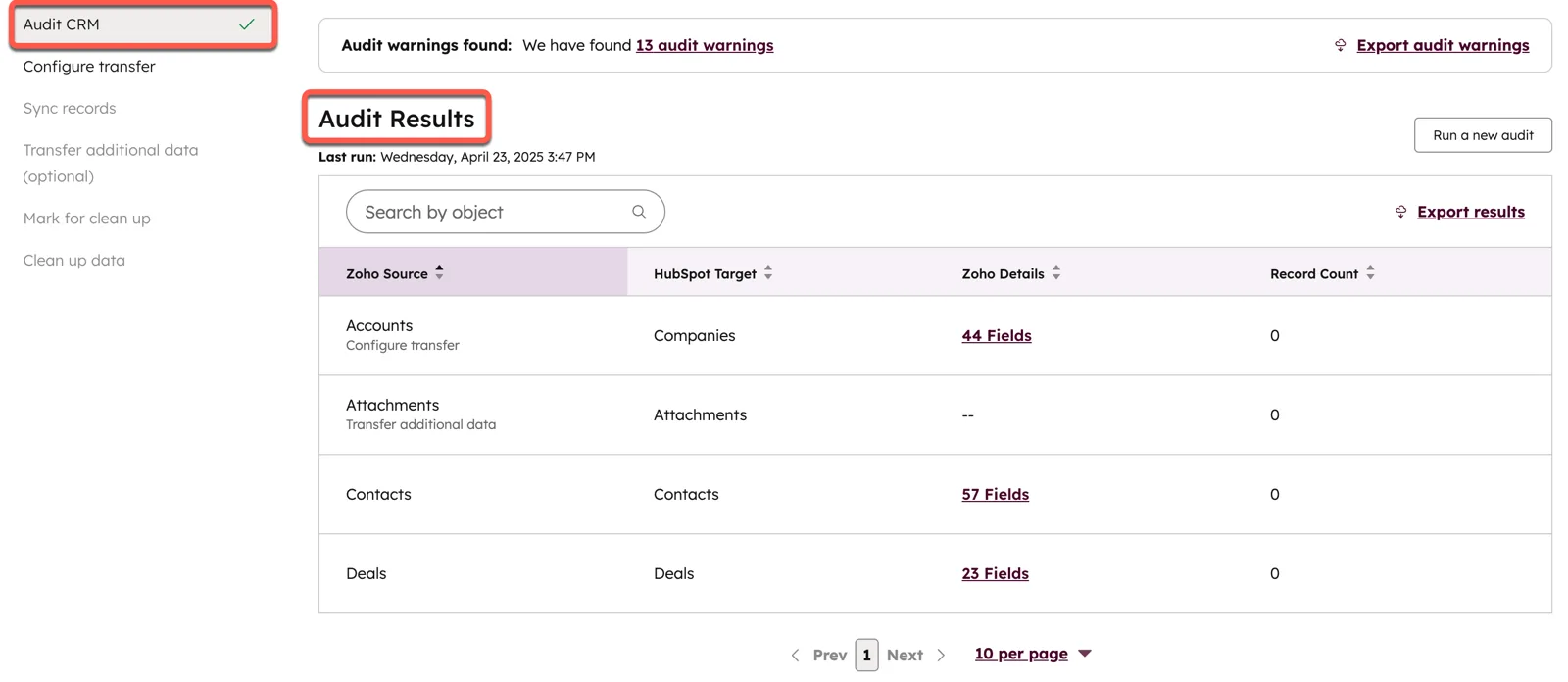
- Transfer data from other apps using HubSpot Smart Transfer, HubSpot Knowledge Base, for the Smart Transfer audit screenshot.
- Create custom objects, HubSpot Knowledge Base, for the Enterprise requirement.
- HubSpot Cloud Infrastructure and Data Hosting FAQ, HubSpot Knowledge Base, for the Sydney data centre and moving accounts.
For how we run a move, connect the two systems, or tell you to stay, see our Salesforce to HubSpot work.
Does your Salesforce renewal leave enough time to move?
Talk to Matt about your move to HubSpot. He can explain how we work and whether our Salesforce to HubSpot service fits your timeline.