

How to Tell If Your Facebook Ads Are Actually Working
Impressions and cost per click will not tell you whether your Meta ads are producing revenue. Here are the four checks to run on a program somebody else manages, including the privacy question nobody raises.

If an agency or one person on your team runs your Facebook and Instagram ads, you have seen the monthly report. Impressions, clicks, cost per click, maybe cost per lead. All of it true, and none of it the number you need.
The number you need is what a closed deal costs.
What follows is the audit I would run on a Meta ads program that is already spending money, in the order I would run it. It assumes you are not the person building the ads, which is the position most revenue and operations leaders are in.
Check one: can you trace a closed deal back to an ad?
Meta can tell you what a click costs. It cannot tell you which clicks became customers, because it does not know what happened after the form was filled in. Your CRM does.
So the first question is whether ad data reaches HubSpot at all. Once the ad account is connected, spend, clicks and conversions sit beside the contacts and deals they created, which is the whole job of turning paid media spend into measurable pipeline inside HubSpot. Until that connection exists, every ROI conversation is two people comparing two reports that were never joined up.
Then ask the three questions that break most ads reports:
- What does a closed deal cost, by campaign? If nobody can produce that figure, attribution is not connected, whatever the dashboard is showing.
- How many of last quarter's won deals touched a paid ad at any point? Sometimes the honest answer is one. That is still an answer you can plan with.
- Which campaigns produced leads that never got to a sales conversation? This is the real waste line, and it usually hides behind a very good cost per lead.
The same setup is what makes any paid channel reportable. There is a step by step on tracking ad spend from click through to closed deal, and the same idea again in the same attribution approach applied to LinkedIn campaigns if that is where most of your B2B budget sits.
Check two: where did that Custom Audience come from?
This one never comes up in a monthly ads meeting, and it is the item on this list that carries real risk.
Custom Audiences are built by giving Meta a list of people so it can match them to accounts and show them ads. Retargeting people who visited your website is one version of that. Uploading a spreadsheet of your customers or past enquiries is a different version, and the two are not the same thing legally.
Handing a customer list to Meta puts personal information about your customers into somebody else's system. Under the Australian Privacy Principles, APP 6 covers use and disclosure: information you collected for one purpose generally cannot be used or disclosed for a second purpose unless the person consented, or unless they would reasonably expect it and the second purpose is related to the first. Someone who handed over an email address to get a quote in March did not obviously expect to be matched into an advertising audience in September.
Which gives you four questions to put to whoever runs the account, before the next upload rather than after it:
- Which list is going up, and where did those people come from?
- What did they read when they gave you the address? Does your collection notice or privacy policy actually mention advertising?
- Is anyone on it unsubscribed, or a former customer who asked to be left alone?
- Who keeps the record of what was uploaded and when?
Lookalike audiences inherit every one of those answers. A lookalike is generated from a source audience, so if the source was a customer list you should not have uploaded, the lookalike sits on top of it.
None of this stops you using Custom Audiences. It means knowing which list is in there, which takes about ten minutes and is a much better conversation to have before a customer asks you.
Check three: where the ads are actually appearing
Pull the placement breakdown. Most people are surprised by it at least once, and the fix is usually free.
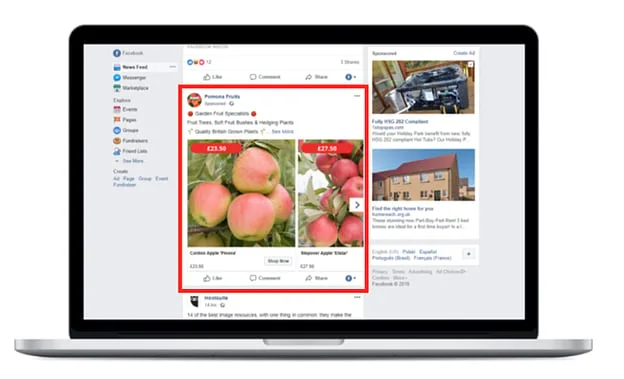
Right column
The oldest ad slot on Facebook, sitting to the right of the news feed on desktop. Feed ads tend to get more engagement because they look like the surrounding posts, so the right column gets forgotten. Clicks and conversions there are usually cheaper, as long as the creative is built for a small box instead of being a feed ad squeezed into one.
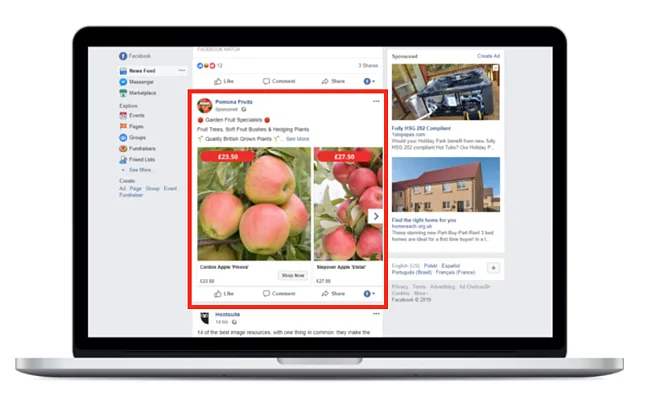
Desktop news feed
Directly in the feed, between posts from friends and pages. Engagement is higher than the right column and so is the price, so this is where a weak creative costs you the most.
Which of those ad formats suits what you sell?
Most first campaigns pick a format before deciding the goal.
Mobile news feed
The same slot on a phone, where it renders like an organic post from a page someone follows. Look at your current ad on an actual phone before the next spend approval. An ad that reads well on a 27 inch monitor and badly on a phone is the most common and cheapest problem in this whole list.
Eight formats, and what each one is for
Format is where most of the argument with an agency happens, usually with nobody in the room able to say what the options are. Here they are, with the specifics worth keeping.
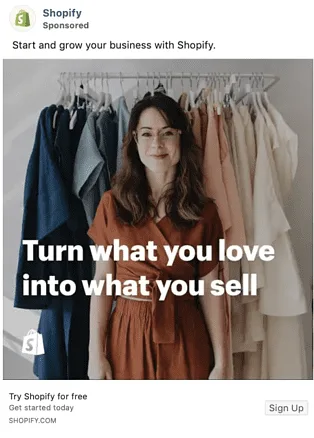
Photo
A single still image for one product, offer or event. For ads in the news feed the recommended image resolution is at least 1080 x 1080, and an image below that gets soft on a good phone screen.
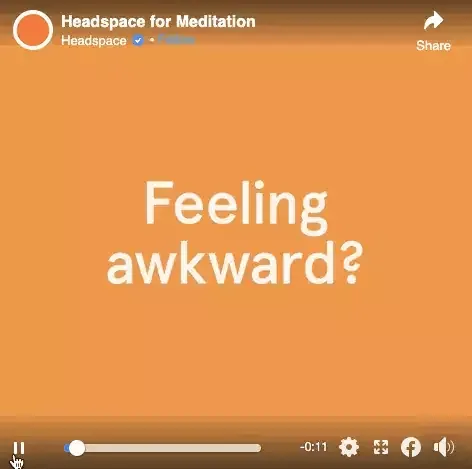
Video
Video and GIFs, for demonstrating something that a photograph cannot explain. Six types sit under this one heading:
- Short videos and GIFs
- Vertical videos
- Instagram stories
- Video carousels
- Video collections
- In-stream videos

Stories
Vertical, cut to the dimensions of a phone, playable on mobile and desktop. Stories are candid by nature, so an ad that shouts BUY NOW between somebody's sunrise photo and their dog does not survive the swipe. Match the medium or skip the placement.
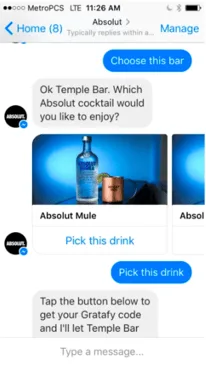
Messenger
Appears as a direct message in someone's message list inside the Messenger app, and can carry a back and forth with buttons and replies. One rule before you run these: a message needs a human answer, and a Messenger ad pointing at an inbox nobody owns is worse than no ad.
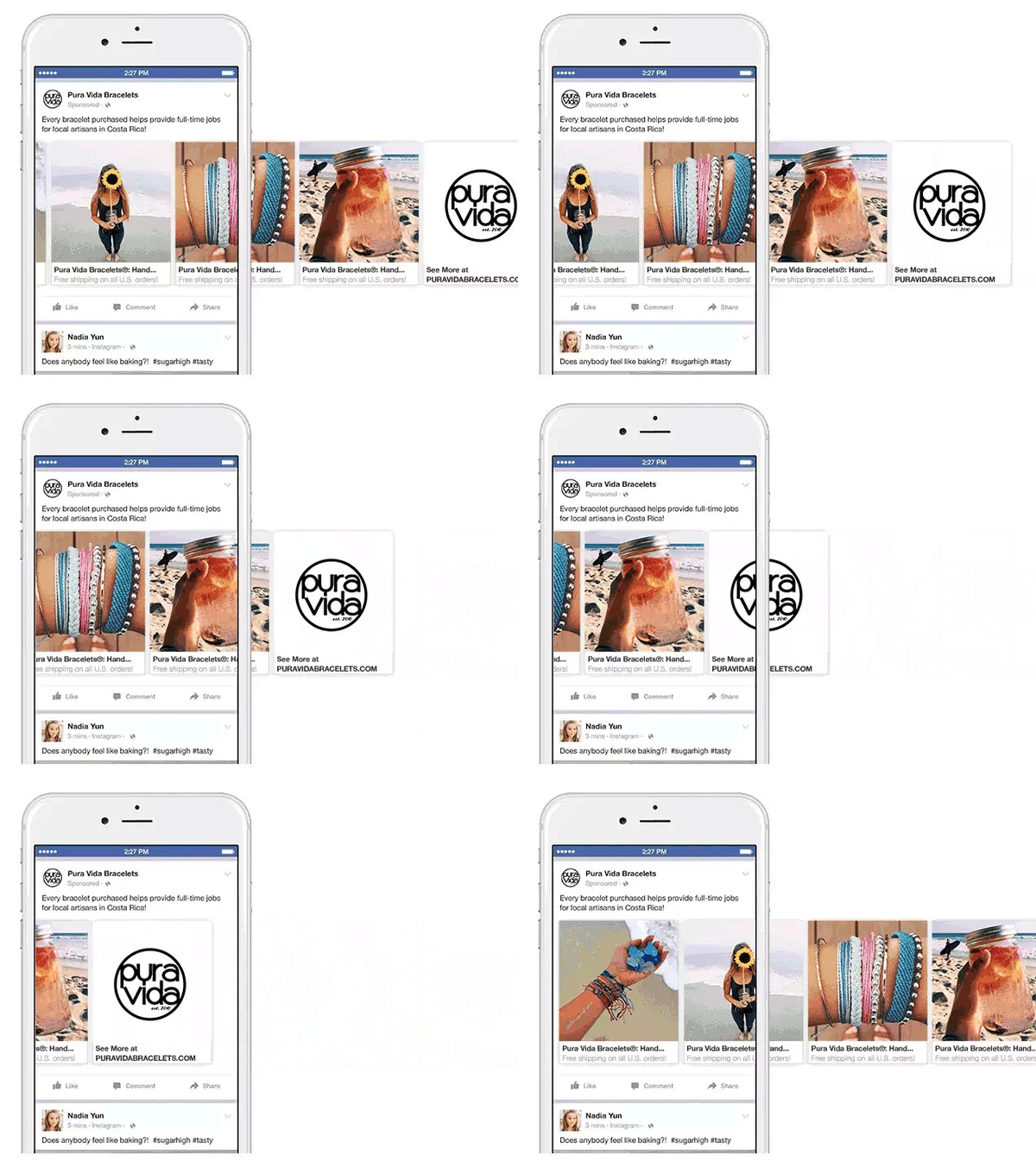
Carousel
Up to ten images or videos in one ad, each with its own link, which the reader swipes through. Facebook's own recommendation is to use it for several products at once, several features of one product, a sequence of events told over multiple cards, or explaining a process step by step.
Slideshow
Images only, compiled into something that plays like a video. It is the format for four situations: getting a video-like ad out on a small budget, building from a library of pre-made images and music, simplifying a process for someone who has never bought from you, and reaching people on slow connections, because a slideshow ad uses five times less data than a video ad on Facebook.

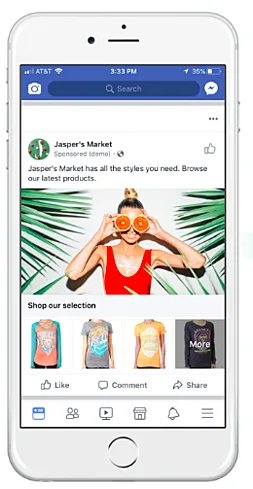
Collection
A main image or video with a grid of products underneath it, so somebody can go from noticing to browsing without leaving Facebook. Four versions: Instant Storefront for showing multiple products and sending traffic to each product page, Instant Look-book for showing a product in use, Instant Customer Acquisition for driving one specific action on a landing page, and Instant Storytelling for explaining the business.
Playables
A short, playable preview of an app inside the ad, so someone can try it before installing. Only relevant if you ship an app.
Check four: the six things worth arguing about in the creative
Everything above is mechanical. This is where judgement lives, and it is the part of the report an agency will not raise on its own.
1. Audience quality beats audience size
Targeting can go a long way past women aged 20 to 30, down to women aged 20 to 30 who follow a particular designer. Every exclusion makes the audience smaller and the relevance higher, and relevance is what you are paying for. A wide net is a fun experiment that leaves you with bad data and no idea which half worked.
2. Relevance is the whole cost equation
You pay when someone views or clicks, depending on the settings. Show an ad to people it was never meant for and you are buying attention from the wrong people at full price. Check that the ad, the copy and the page it goes to are all speaking to the same person.
3. The image is doing more work than the copy
People remember what they saw for longer than what they read, and the feed is a scroll of pictures. If the creative was made last, it shows.
4. The copy and the image tell one story
When the words and the picture and the landing page match, the reader gets the same experience they would get from something personalised for them, and they click. When the ad promises one thing and the page opens on another, you have paid for the click and lost the person in the first two seconds.
5. A reason to click that a sceptic would accept
The offer has to answer why this, why you, why now. Keep it believable. A deal with a date on it, or proof from a customer who bought it, beats an adjective every time.
6. One obvious call to action
An ad without a call to action is a shop without a checkout. Say what happens next, in the words the reader would use, and only ask for one thing.
What to do with the next monthly report
Ask for two numbers that are almost never in it: cost per closed deal by campaign, and the list of leads from paid that never reached a sales conversation. Then ask which list went into the last audience upload. Those three answers will tell you more about the program than any dashboard, and the awkward pauses will tell you the rest.
If it turns out that nothing paid has ever produced a deal, that is worth knowing before you approve another quarter of it. There are 25 social media strategies to attract and convert and only some of them cost money.
Campaign live and not sure what to change first?
The first two weeks of data usually contradict the guide.

So, one question before your next spend approval: if you had to prove this month's Meta budget produced revenue, who in the business could actually do it?